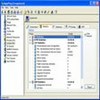
Secure remote desktop solution for unattended access, ideal for IT support and small business management
Secure remote desktop solution for unattended access, ideal for IT support and small business management
Vote (1 votes)
Program license Free
Developer Remote Utilities LLC
Version 7.6.2.0
Works under Windows
Vote
(1 votes)
Developer
Remote Utilities LLC
Works under
Windows
Program license
Free
Version
7.6.2.0
Pros
- Comprehensive selection of remote access tools
- Secure, encrypted communication and user authentication
- Reliable performance for both attended and unattended sessions
- Highly customizable deployment options
- Supports file transfer and advanced administrative operations
Cons
- User interface is utilitarian and may feel dated
- Initial setup requires moderate technical knowledge
- Some advanced features restricted to paid tiers
Essential remote desktop software for secure and flexible PC access and support
Overview
Remote Utilities Host is a robust remote desktop application designed primarily for administrators, helpdesk teams, and businesses seeking secure and flexible solutions for remote access and computer management. Once installed on Windows PCs, it enables authorized users to connect from virtually anywhere, making it an ideal choice for both remote support operations and maintaining unattended workstations.
Core Features
Remote Utilities Host equips organizations with a comprehensive suite of remote desktop tools. Users can view the full remote desktop, control mouse and keyboard input, and perform essential administrative tasks. The file transfer functionality streamlines the sharing of documents and facilitates quick troubleshooting, while clipboard synchronization enables fast copy-paste actions between machines.
This software supports a variety of access modes beyond basic screen viewing, including power control (reboot or shut down remotely), command prompt access, and remote registry editing. These granular features are especially valuable for IT professionals managing diverse endpoints or providing advanced technical support.
Security and Control
Strong security measures have been built into Remote Utilities Host. End-to-end encryption protects sensitive data during sessions, and customizable permissions ensure that only authorized users can access or control remote hosts. Additionally, detailed logging and notification options provide clear oversight and accountability.
Unattended and Headless Access
Remote Utilities Host is well-suited for unattended access, allowing IT staff to manage servers, headless workstations, or machines beyond conventional office spaces without the need for physical presence. This is particularly useful for after-hours maintenance or managing assets in distributed environments.
Customization and Licensing
Administrators can extensively customize settings and deploy configurations across multiple endpoints using built-in tools. Flexible licensing options are available, enabling organizations to scale their usage while supporting an upgrade path to higher-tier features as operational needs expand.
Performance
Remote Utilities Host delivers stable performance, even over slower connections. The user interface is straightforward, prioritizing function over design, and new users can get started with minimal setup. Updates and upgrades are straightforward, with detailed documentation available to assist with both basic and advanced configurations.
Pros
- Comprehensive selection of remote access tools
- Secure, encrypted communication and user authentication
- Reliable performance for both attended and unattended sessions
- Highly customizable deployment options
- Supports file transfer and advanced administrative operations
Cons
- User interface is utilitarian and may feel dated
- Initial setup requires moderate technical knowledge
- Some advanced features restricted to paid tiers